
Several providers allow for online appointment scheduling through our client portal. If you are an existing client and would like to schedule an appointment online, first log into the client portal, then click on the “request now” button under the Appointments tab.
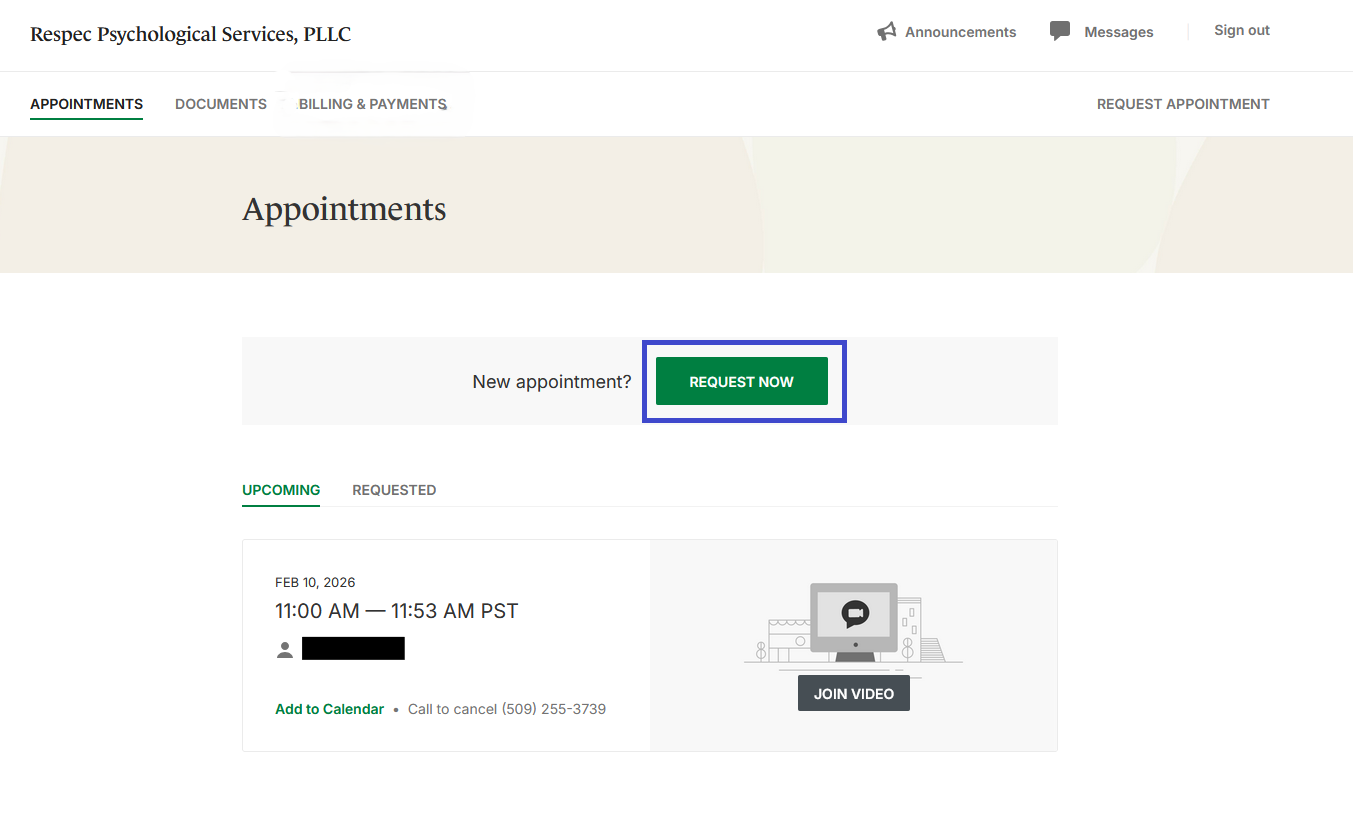
From the following screen, you’ll be prompted to select the prover you’d like to schedule an appointment with, then you’ll be able to select the service you’d like to schedule with your provider.
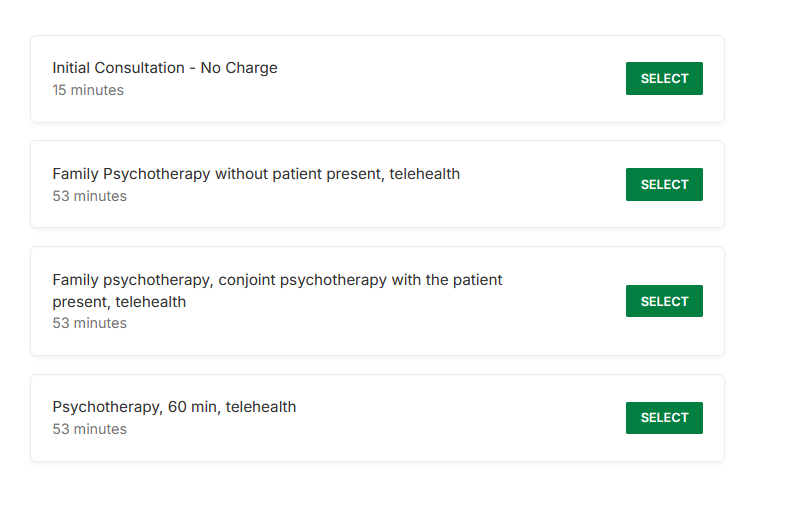
Once you’ve selected the appointment type, you will be able to view available appointment times and schedule your appointment. If you do not see times that fit your schedule, please reach out to your provider directly.
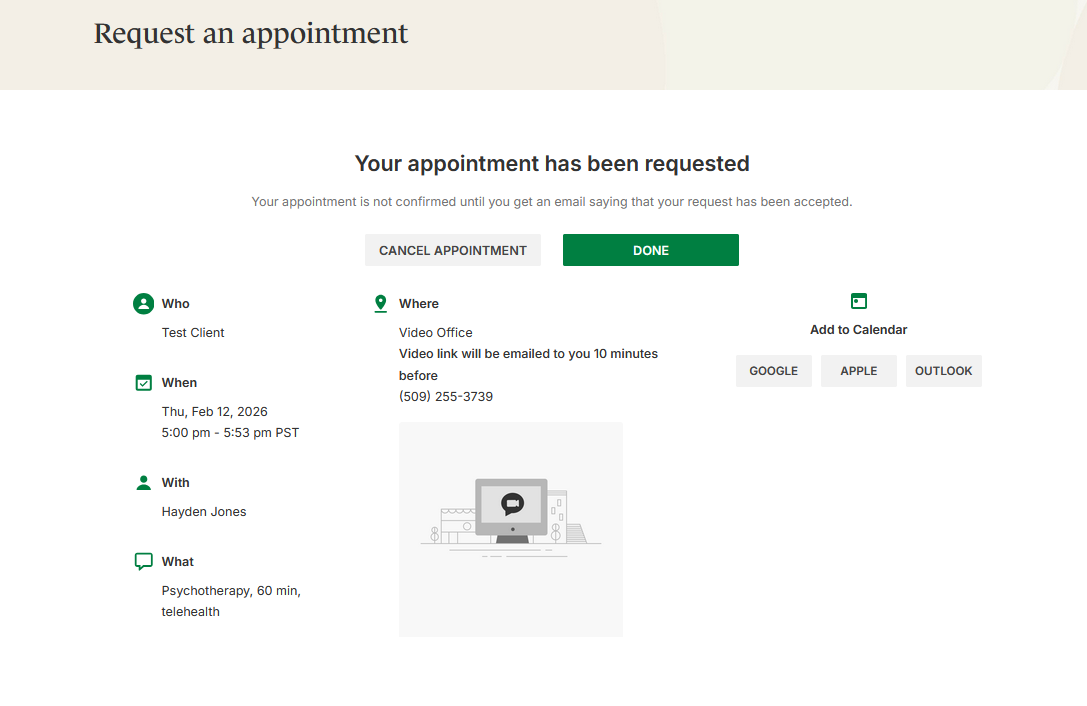
After you’ve selected your preferred time and date, your scheduling request will be sent to the provider, who will confirm the appointment or reach out to you with alternate options.
Common Questions
What if my provider or preferred time is not listed?
For some services or providers, direct confirmation is needed to schedule an appointment, these services or providers will not be listed when attempting to schedule online. In these cases, we encourage you to reach out to your provider directly for scheduling through phone, email, or the encrypted messenger in the client portal.
What if I need to cancel my appointment?
Cancelling is available through the online portal (with at least 24 hours notice), in alignment with the clinic’s cancellation policies. Late cancellations through the client portal are still subject to cancellation fees.